Wednesday, 4 January 2012

1) This website is nice because : 
a) It's very elegant and modern in terms of the layout, colours and typography.
b) It's very user-friendly, users would know where they are and what to click.
c) There are some pages where they only pop up the more information as you scroll down to avoid having a heavy page full of texts.
d) The buttons are big in size to have a more ease of clicking them.


2) This website is nice because :
a) The colour mood is very fun and attractive.
b) It's very user friendly as users would know what page they're on.
c) The visuals are very unique and interesting. 


3) This website is nice because :

a) The art direction is very relaxing to look at.
b) Bright and minimal colours are used to make it look simple and nice.
c) Typography and layout are very comfortable to read and look at.
d) Simple. 
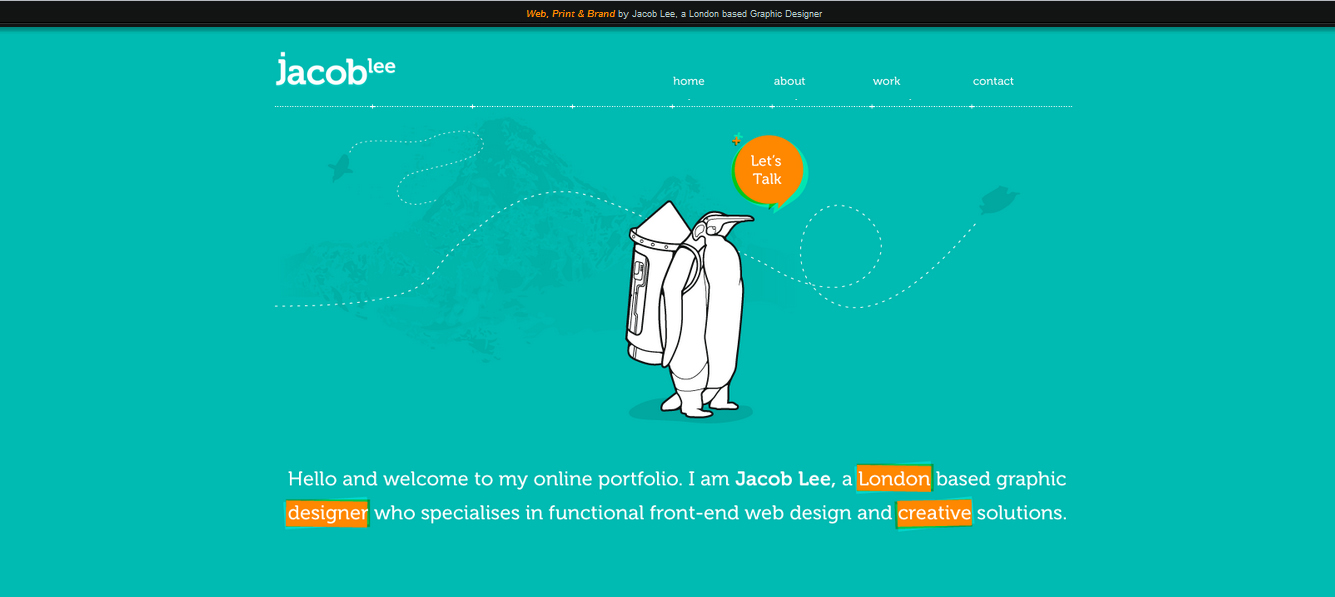


4) This website is nice because :


a) It looks simple and comfortable, feels like the site doesn't mean to stress users out.
b) Even it's in a language that I don't understand, I roughly know which page I'm on. When I want to go back to the other page, I can easily do that.
c) The typography fits the mood perfectly.
d) The picture section looks crowded, but users should know where to focus on when they click on one of the pictures.


Good Tutorial Sites for Photoshop/ Illustrator

http://psdlearning.com/


http://www.webdesign.org/


http://abduzeedo.com/


http://pshero.com/

Tuesday, 3 January 2012

3 Project Initial Ideas for Web Design 1

1) How to do well in presentations. (tell stories, show pictures, don't apologize, start & end strong,gesture and pausing for important topics)

2) How to make anyone like you. (must like others 1st, to win friends- be a friend, humor, don't talk too much/ little, being well informed)

3) How to manage time properly. (set goals, realize how I spend my time, plan my time, realize the advantages)

Sunday, 19 June 2011

My first polaroid

The picture above is a reference from my lecturer.
For this one above, I tried to make it look as similar to the reference as possible before the tutorial was taught.
This is the final outcome that I did after using the tutorial as my guide

Photos of me, before and after photoshop

Before photoshop


After photoshop

Spring Collection Assignment

Sunday, 5 June 2011

Roman Camera Icon


This is actually a Multimedia project of mine, I had to create a package of icons that look like a set and they are meant for mobile icons. The theme that I chose was Ancient Roman, as you can see I used some of the Roman elements like pillar, leave crown and the gladiator's helmet to present the ancient antique quality. The textures are Roman wall patterns and the wings were carefully traced from real vectors that I searched on google. I hope you'd enjoy this and there's more to come next time.